
Find the post the photo came from, then run the dress alone through Google Lens. If that fails, describe it the way a store does: color, fabric, neckline, sleeve, length, then one detail. Or upload a screenshot to pinni, which finds close matches with a price and a seller link. Compare a few sellers before you buy.
It is the dress at the wedding, in the film, on the girl in the photo you saved at 1am. You want that exact one, and there is no tag. A dress is the hardest single piece to describe, because so many of them look alike at first glance. They stop looking alike once you know what to look at.
Step 1: check where the photo came from
Before you search anything, look at the post. Creators often list their dresses in a caption, a pinned comment or a link in their profile. If the photo was saved from somewhere else, a reverse image search will usually show you the first place it was posted. That first post is the one most likely to name the dress.
Step 2: search the dress alone
Crop out everything except the dress, so the search engine has one thing to match. Then use Google Lens or Bing Visual Search and open the Products view. A full length photo of a woman standing in a room gives the tool too much to think about. A tight crop of the dress gives it one job.
If you are on an iPhone, the steps for cropping and searching a saved image are in how to find clothes from a screenshot on iPhone.
Step 3: upload the screenshot to pinni
When the dress is part of a bigger photo, or you want the shoes and bag as well, cropping gets tedious. Upload the screenshot to pinni on the Photo tab, or paste the Pinterest pin link on the Link tab. pinni spots each piece in the picture, including the dress, and lists a close match with a price and a link to the seller.
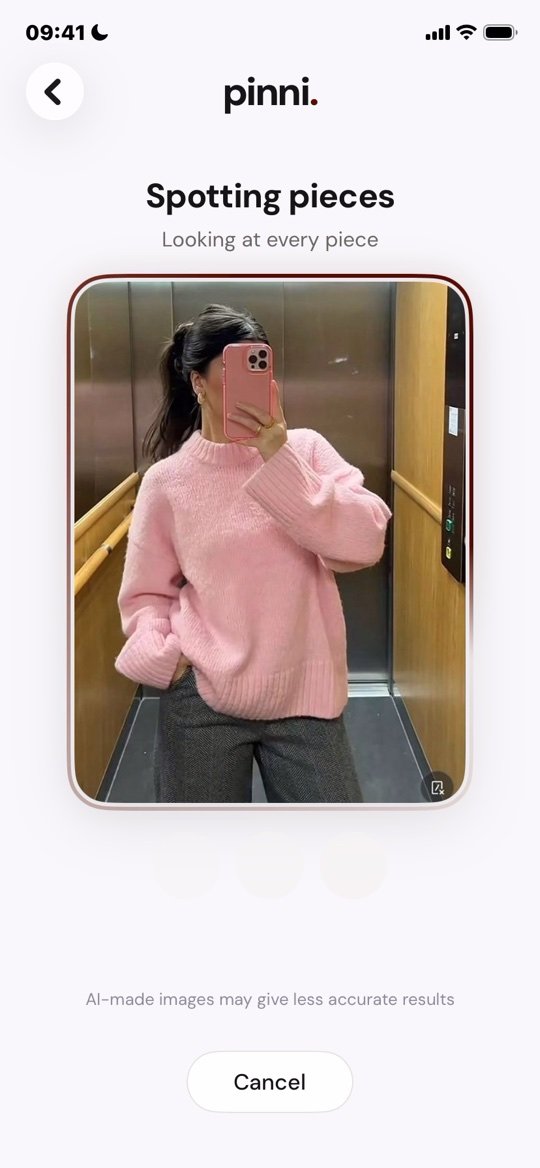
pinni is an independent iPhone app. A sharp, straight on photo of the dress gives the best results. Get the app.
Step 4: describe the dress the way a store does
When the image search returns a pile of near misses, switch to words. Stores name dresses with six parts, always in about the same order: color, fabric, neckline, sleeve, length and silhouette. Add one more detail, such as a slit, a tie waist or a ruffle.
| Part | Words to try |
|---|---|
| Neckline | square neck, halter, sweetheart, V neck, off the shoulder, cowl |
| Sleeve | strapless, spaghetti strap, puff sleeve, long sleeve, flutter |
| Length | mini, knee length, midi, maxi, floor length |
| Silhouette | A line, slip, wrap, bodycon, fit and flare, shirt dress |
| Fabric | satin, chiffon, linen, knit, crepe, lace, poplin |
| Detail | side slit, tie waist, ruched, corset bodice, open back |
"Black satin midi slip dress with a cowl neck" is a search that works. "Pretty black dress" is not.
Step 5: add the occasion
Many dress searches go better with a use attached. Add "wedding guest", "cocktail", "graduation" or "summer brunch" and the results shift toward the right level of formal. It also changes the price range, because event dresses are often priced differently from everyday ones.
Step 6: compare three sellers before you buy
When you find a match, do not click buy on the first one. Open three listings and compare these things:
- The fabric content. A dress that looks like silk in a photo may be polyester.
- The size chart, and whether it lists bust, waist and length in measurements.
- Customer photos, which show the real color and how it fits.
- The return policy, including who pays for return shipping.
Product photos are lit to flatter the dress. Look at customer photos and read the color name in the description, then decide if the shade is close enough.
If the dress costs too much
Keep the shape and the color and let the fabric and the brand go. A midi slip dress in satin is the same silhouette at many price levels. For ideas on what to keep and what to swap, see how to recreate a Pinterest outfit on a budget. Secondhand sites are also worth a search, especially for event dresses that were worn once.
If you find nothing at all
Some dresses are custom made, vintage or from a tiny label. Post the clearest photo you have in a community that identifies clothes, and say where you saw it and what you can spend. The method in find this outfit when there is no link works for a single dress too.
Questions people ask
How do I find a dress from a photo?
Check the original post for credits, crop the dress and run it through Google Lens, then search a precise description if the image search misses. Or upload a screenshot to pinni for close matches with prices.
How do I find a dress from a picture on my iPhone?
Save the picture, crop it to the dress, then search it in the Google app or in Chrome with Google Lens. You can also upload the screenshot to pinni on the Photo tab.
What should I write when I describe a dress?
Use color, fabric, neckline, sleeve, length and silhouette, in that order, then one detail. Stores write their listings the same way.
Can I find a dress from a movie or a TV show?
Often yes. Search the character name with the film title and the word "dress", and check fan sites that list costumes. Costumes are sometimes custom, so a close match may be the best result.
Is it safe to buy a dress from a shop I found on social media?
Be careful. Check reviews, return terms and contact details first, and pay with a method that offers dispute protection.
Skip the dress hunt.
Upload a screenshot of the dress or paste a pin link. pinni finds close matches with a price and a link to each seller.
Get the app