
Name the shade with a precise color word plus a modifier, such as "dusty rose" or "deep forest green", then search it with the item. Check the color against customer photos, because screens change color. To match a color from a photo, upload the screenshot to pinni for close matches with a price and a seller link.
The sweater in the photo is a specific green, not green. Search "green sweater" and you get forty shades of it, none of them right. Color is the detail that people get wrong most often when they shop from a photo, and it is also the easiest to fix, once you know how to name it and how to check it.
Step 1: name the shade precisely
Use a base color and a modifier. Stores use a limited set of words, and they are worth learning.
| Base | Shade words that stores use |
|---|---|
| Green | sage, olive, forest, emerald, hunter, moss, pistachio |
| Blue | baby blue, powder blue, navy, cobalt, denim blue, teal, slate |
| Red | burgundy, oxblood, cherry, brick, wine, tomato |
| Pink | blush, dusty rose, hot pink, fuchsia, salmon, bubblegum |
| Neutral | cream, ivory, ecru, oatmeal, camel, taupe, charcoal, stone |
| Brown | chocolate, espresso, tan, cognac, chestnut, mocha |
"Sage green linen shirt" is a search that works. Add the item, the fabric and the shade together.
Step 2: read the color from the photo, carefully
Colors in photos shift with lighting, filters and phone screens. Warm light makes whites look cream, and filters push colors toward pink or blue. If you can, look at other photos of the same item in different light. Treat the color you see as a guess, and compare it with the product photos and customer photos before you buy.
Step 3: let a tool match the color from a photo
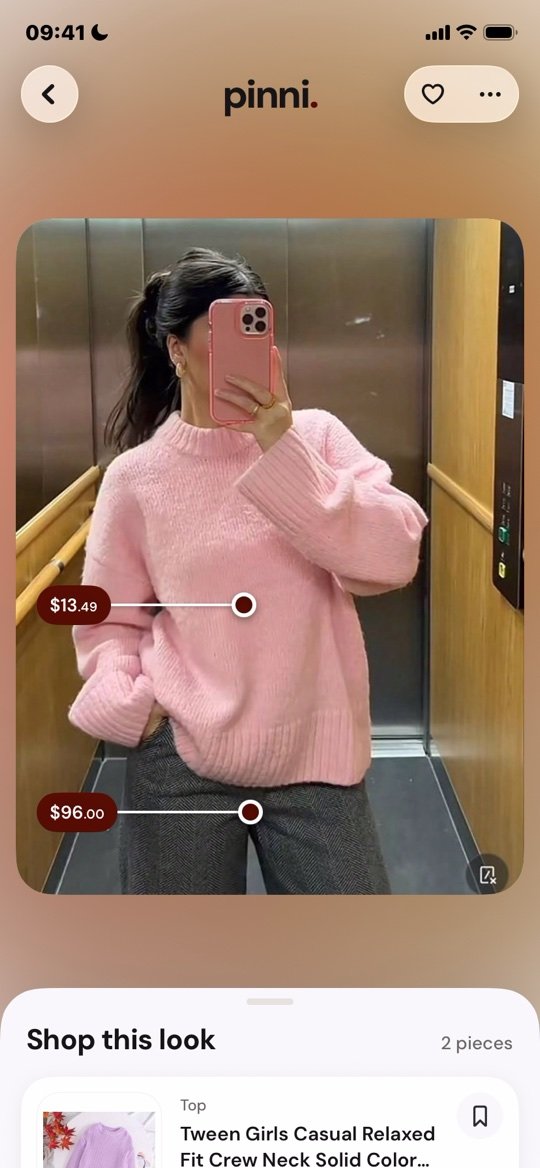
Instead of naming the shade yourself, upload the screenshot to pinni on the Photo tab, or paste the pin link on the Link tab. pinni spots each piece and lists a close match for each, with a price and a link to the seller. The matches are based on how the pieces look, including color, so you start close and can refine from there.
pinni is an independent iPhone app and it takes no commission when you buy. Get the app.
Step 4: use the color filter on the store
Most shops let you filter by color. Filter by the base color, then look through all the shades in that group. Store color names are inconsistent, so a "green" filter may include olive and mint. Scan the photos, not just the labels.
Step 5: verify before you buy
- Open the customer photos, which show the real color in ordinary light.
- Read reviews for "darker than pictured" and "more pink than the photo".
- Look at the color name on the listing, not only the picture.
- Check the return policy in case the shade is off.
Some shops sell or send fabric swatches. For a big purchase such as a coat, it is cheap insurance.
Matching colors across an outfit
If you are buying a piece to go with something you own, hold the item against your closet in daylight when it arrives. Neutral colors are the easiest to combine, and a small palette makes a wardrobe work, as in how to build a capsule wardrobe from Pinterest.
For the full method of finding a piece from a photo, see how to find clothes from a picture, and for dresses specifically, how to find a dress from a photo.
Questions people ask
How do I find clothes by color?
Name the shade with a base color and a modifier, search it with the item, and filter by color on the store. Verify with customer photos.
How do I match a color from a photo?
Treat the photo's color as a guess, compare with product and customer photos, or upload a screenshot to pinni for close matches.
Why does the color look different when it arrives?
Lighting, screens and photo editing change color. Customer photos are the most reliable guide.
What is the difference between ecru and cream?
Both are off whites. Ecru is a little more yellow or gray, and cream is a little warmer. Check the product photos.
Can I search by a color code?
Some shops accept color names only. A color code can help you name the shade, but you will still search by the closest color word.
Match the color. Find the piece.
Upload a screenshot of the outfit. pinni finds close matches for each piece, with a price and a seller link.
Get the app