
Crop the picture down to one piece and run it through Google Lens, then compare the shopping results. For a whole outfit, upload the picture or paste a Pinterest pin link into pinni, which spots every piece and lists a price and a seller link for each one. If the picture came from a post, trace it back to its source first.
You have the photo. You do not have the link. The caption says nothing, the tags are empty and the comments are full of people asking the same question. Finding clothes from a picture is a solvable problem, and the six methods below cover every case, from a single jacket to a full outfit.
Six ways to find clothes from a picture
| Method | Best for | Weak spot |
|---|---|---|
| 1. Trace the source | Photos from creators and brands | Reposts with no credit |
| 2. Visual search (Google Lens) | One distinctive piece | Returns lookalike photos if the crop is wide |
| 3. A store's photo search | Buying quickly | Only shows that store's stock |
| 4. Words | Dark or small pieces | Takes some guessing |
| 5. An app that reads the whole outfit | Full outfits, screenshots, Pinterest pins | Close matches, not always exact |
| 6. Ask a community | Rare or vintage pieces | Answers can take a day |
1. Trace the picture back to its source
Most outfit photos were posted somewhere that explains them. Run the full image through a reverse image search such as Google Lens or TinEye, and open the oldest result. That is often the creator's own page, and creators like to list what they wear.
If the picture came from social media, read the caption and the comments, check who is tagged, and open the creator's link-in-bio page. Someone has usually answered the "where is this from?" comment already. The platform guides cover the details: Instagram, TikTok and Pinterest.
2. Use visual search on one piece
Visual search compares the shape, color and pattern of part of a photo against products. It works best on one item at a time.
- Save the picture or take a screenshot.
- Open Google Lens in the Google app or in Chrome and choose the picture.
- Drag the box so it covers one piece only, like the jacket.
- Open the shopping results and compare the closest matches.
The most common mistake is searching the whole photo, which returns more photos of similar scenes instead of products. Shoes and bags are usually the easiest to match because their shapes are distinct. Plain tops are the hardest. The difference between this and a plain reverse search is explained in reverse image search for clothes.
3. Try a store's own photo search
Several large retailers have added photo search to their apps. You upload the picture and the app shows similar items from its own stock. You only see one store, but everything shown is for sale, with a real price and a size you can order.
4. Describe it in words
When the picture is dark or blurry, or the piece is small, describe it the way a store would list it. Use this order: color, material, cut, item, then one detail.
- oxblood leather cropped bomber jacket
- light wash baggy straight leg jeans
- cream chunky knit crew neck sweater
Open the Images or Shopping tab and scan for the one that looks right. If you find the right shape in the wrong color, keep it, because changing the color on the product page is easier than finding the shape again.
5. Upload it to an app that reads the whole outfit
The first four methods work one piece at a time. A full outfit has a top, bottoms, outerwear, shoes and a bag, which is five searches before you have compared a single price.
pinni is built for that case. You give it a screenshot or a photo from your library, or paste a Pinterest pin link. It spots each piece in the photo, searches for where to buy it, and lists a close match for every piece with a price and a link to the seller.
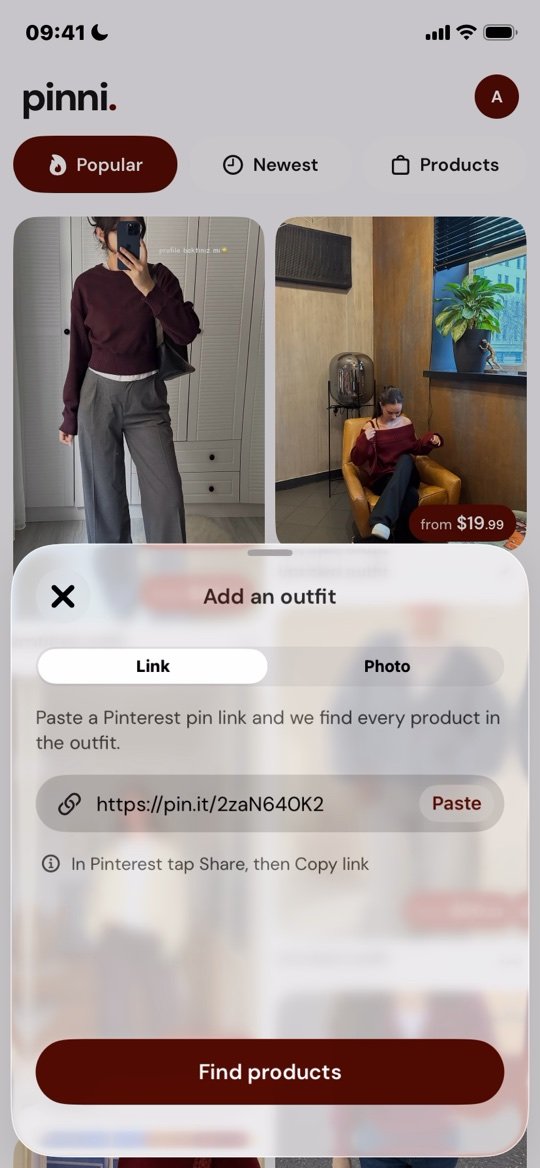
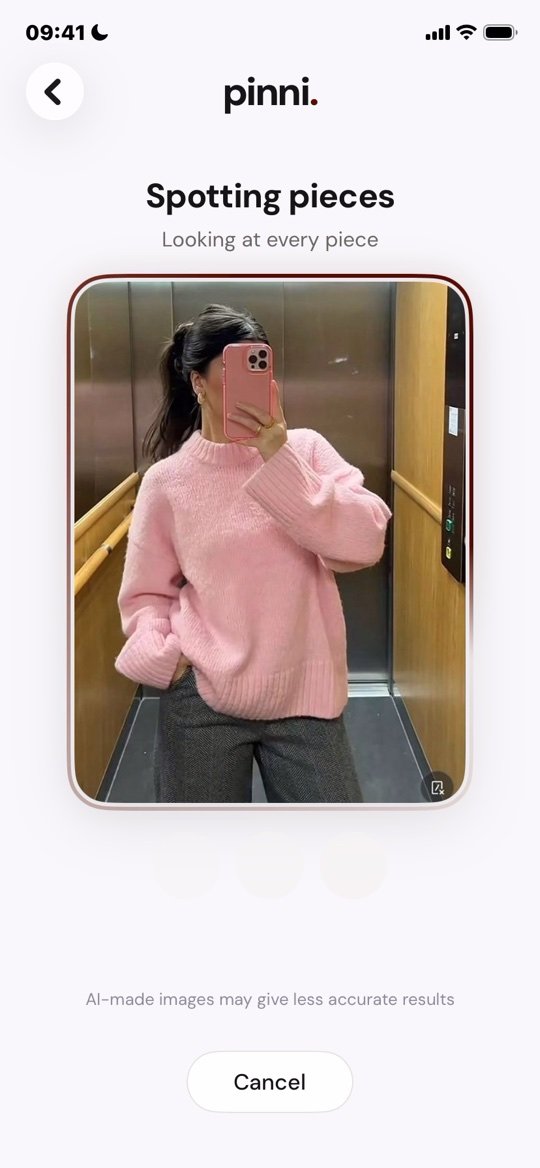
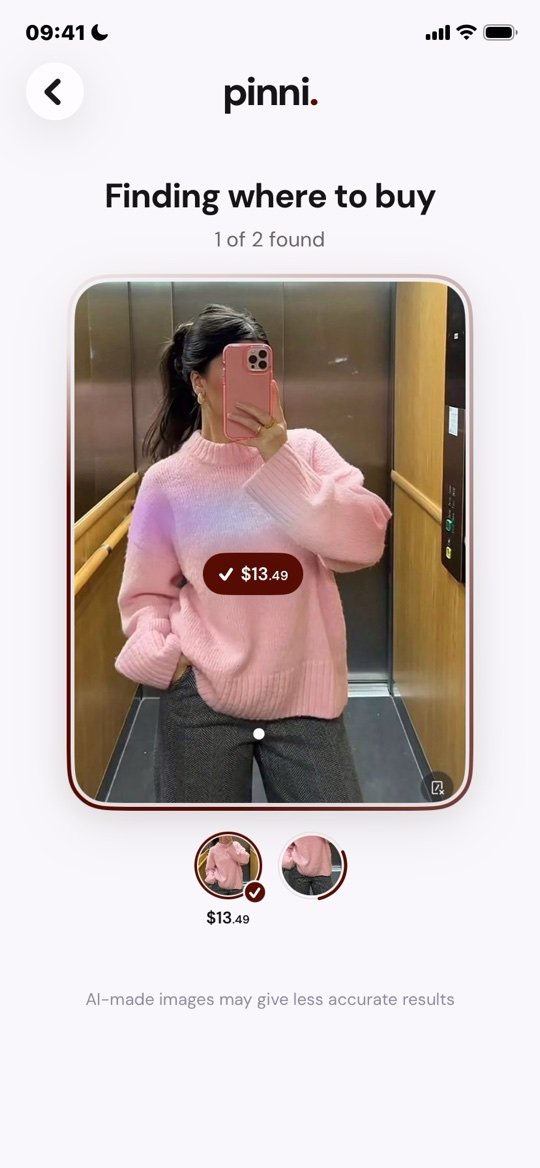
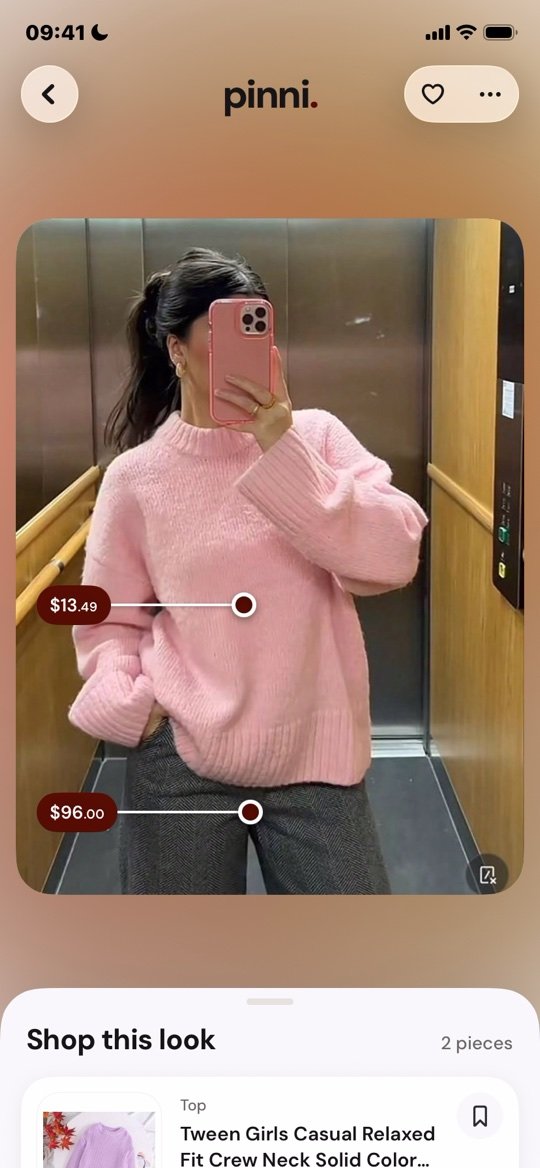
Matches are close, not always exact, so open the seller's page before you pay. pinni takes no cut when you buy, since the app is paid for by its Pro plan. It is an independent iPhone app. See how pinni works.
If you are comparing options, outfit finder apps: what to look for lists the seven checks worth making before you pick any app, pinni included.
6. Ask a community
For rare, vintage or custom pieces, people are often faster than software. On Reddit, r/findfashion is one place where members help identify clothes from a photo. Post the clearest version of the picture, say where you saw it, and give your budget. The steps are in find this outfit when there is no link.
Get better results from any method
- Use the sharpest version of the picture you can find, not a screenshot of a screenshot.
- Crop out captions, usernames and buttons before you search.
- Start with the shoes and the bag. Their shapes narrow down the rest.
- For video, pause on a frame where the person faces the camera and is not blurred by motion.
- Compare at least three sellers before you buy. Price, delivery and returns all differ.
Searching for one piece in particular
When the piece is a single item, a guide for that item goes deeper than a general method can. Shoes have style codes and soles to read. A dress is found by neckline, length and fabric. A shirt often carries text you can search directly.
Why you may not find the exact item
The outfit may have come from the creator's own wardrobe, the item may be discontinued, vintage or secondhand, or the photo may be AI generated, in which case the clothes do not exist. pinni itself warns on screen that AI-made images may give less accurate results. Aim for a close match with the same shape, the same color and a similar fabric. That is what most people end up buying, and finding similar clothes for less shows how to judge one.
Questions people ask
Can Google find clothes from a picture?
Often, yes. Google Lens compares part of a photo with products and shows visually similar items. It works best on a single clear piece, so crop tightly and open the shopping results.
Is there an app that finds clothes from a picture?
Yes. Some match one item at a time. pinni reads the whole outfit from a screenshot, a photo or a Pinterest pin link and lists each piece with a price and a seller link. It is built for iPhone.
Can I upload a screenshot to find the clothes?
Yes. In pinni, open the add sheet, choose Photo and pick the screenshot from your library. You can also paste a Pinterest pin link instead.
Can I find clothes from a picture for free?
Yes. Google Lens and reverse image search are free to use, and pinni has a small allowance of new outfits before any paid plan.
Why does the search show the wrong item?
Usually the crop is too wide, the photo is blurry, or the piece is plain. Crop tighter, use a sharper copy, or describe the piece in words.
Does it work on Android?
Google Lens does. pinni is built for iPhone, iOS 17 or later, and has no Android version for now.
Shop the whole outfit from one pin or one screenshot.
Paste a Pinterest pin link or upload a screenshot. pinni finds each piece, shows a price and links you to the seller. Made for iPhone.
Get the app