
An AI outfit finder looks at a photo, identifies each piece of clothing, and searches for similar products. It finds close matches, not guaranteed exact items. Check that it covers the whole outfit, shows prices with seller links, and is honest about accuracy. pinni is one example: upload a screenshot or paste a Pinterest pin link and it lists each piece it finds.
"AI outfit finder" is a label for a simple promise: show it a photo, get the clothes. The idea is sound, and the results vary a lot between tools. Knowing how one works tells you what to expect and what to check.
How an AI outfit finder works
The steps are the same across most tools.
- You give it a photo, a screenshot or a link.
- It identifies the pieces in the picture, such as a top, trousers, shoes and a bag.
- For each piece, it searches for products that look similar.
- It lists the closest matches, usually with a price and a link to a seller.
The matching is based on how things look, such as shape, color and pattern. That is why results are close matches. The tool does not read a label or a tag, so it cannot know the brand of a plain black jacket.
An example: how pinni does it
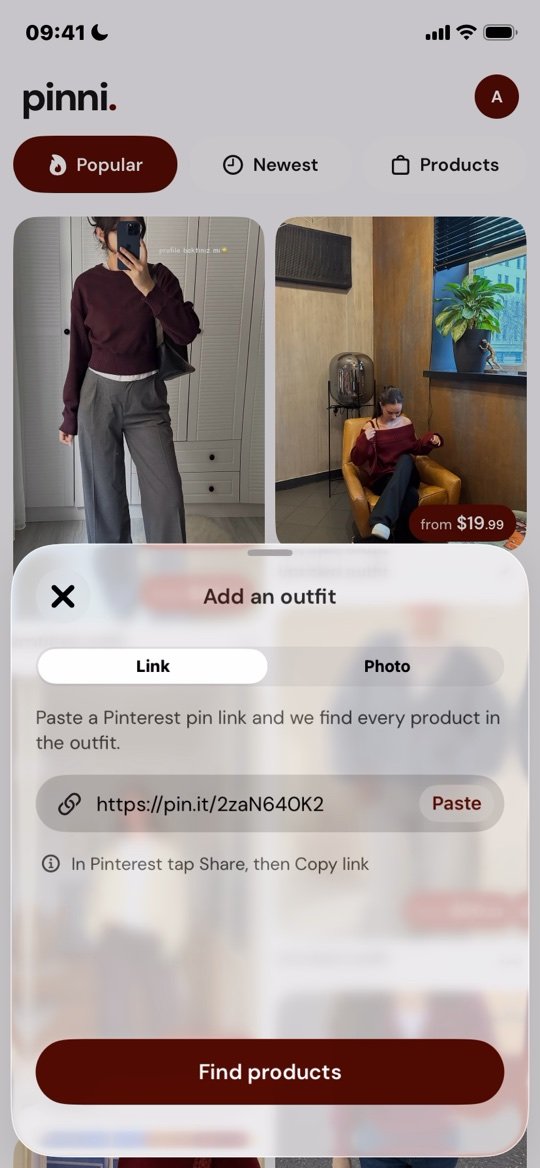
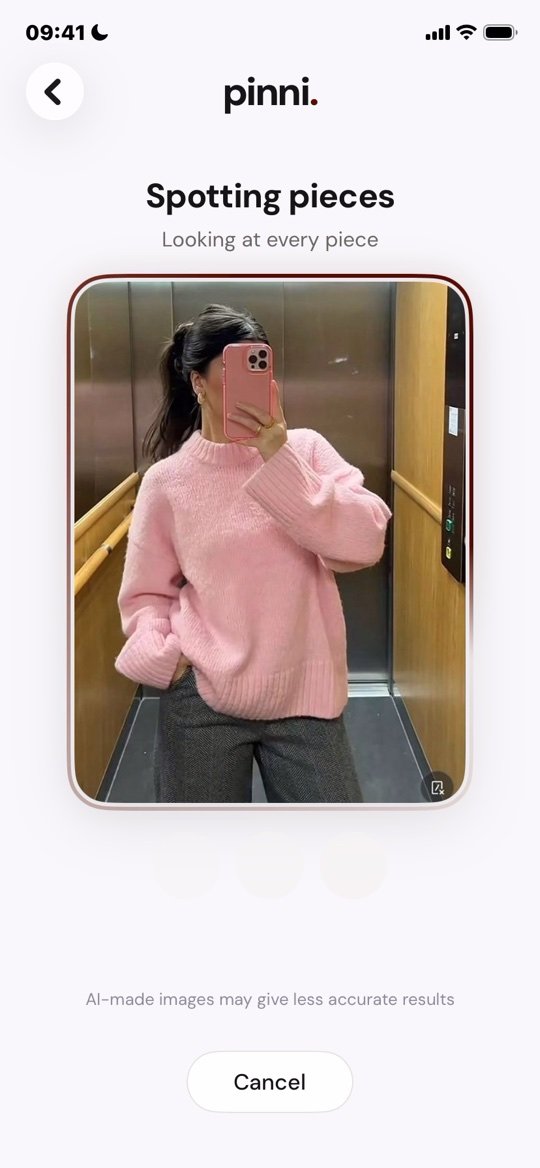
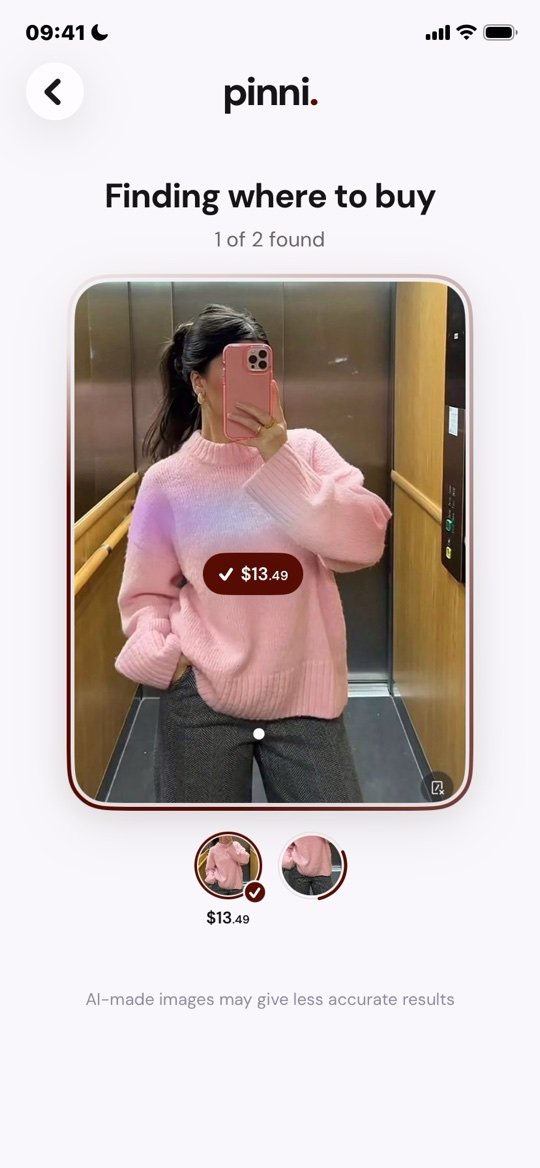
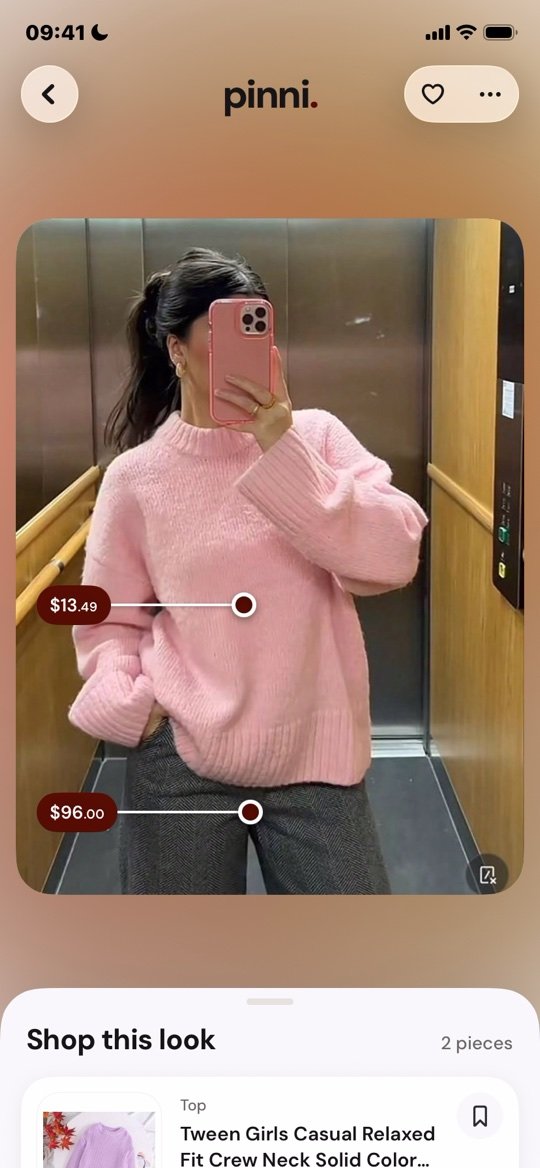
In pinni you add an outfit one of two ways: paste a Pinterest pin link on the Link tab, or pick a screenshot or any photo from your library on the Photo tab. It spots each piece, looks for where to buy it, and builds a Shop this look list with one price per piece. Each piece opens the seller's own page.
pinni is an independent iPhone app and it takes no commission when you buy. Get the app.
Where an AI outfit finder fails
- Plain pieces. A black tee matches thousands of black tees.
- Hidden or tiny items. A bag behind an arm or shoes cropped out of the frame cannot be matched.
- AI-made images. If the photo was generated, the clothes may not exist. pinni says on screen that AI-made images may give less accurate results.
- Heavy filters. Edited colors make products look different from the real thing.
- Custom or vintage pieces. Only a similar item can be found.
What to check before you trust one
| Check | What good looks like |
|---|---|
| Coverage | It lists every piece, not just one |
| Prices | A price on every result, linked to a real seller |
| Honesty | Results labeled as close matches, with a way to report a bad one |
| Money | A clear answer on whether it earns a commission |
| Input | Works from a screenshot or a link, with no retyping |
The longer version is in outfit finder apps: what to look for.
Free alternatives
For a single piece, Google Lens and Bing Visual Search are free and work well. The comparison is in clothing search engines by image and reverse image search for clothes. For the whole method, see how to find clothes from a picture.
Questions people ask
What is an AI outfit finder?
A tool that looks at a photo, identifies the pieces of clothing in it, and searches for similar products to buy.
How accurate is an AI outfit finder?
It finds close matches based on how items look, not guaranteed exact products. Check the seller's page before you buy.
Is there a free AI outfit finder?
Google Lens is free for single pieces. pinni has a small allowance of new outfits.
Can an AI outfit finder work from a screenshot?
Yes. pinni accepts a screenshot or any photo from your library, as well as a Pinterest pin link.
Does an AI outfit finder replace a stylist?
No. It finds clothes you have already seen. It does not choose an outfit for you.
See an AI outfit finder at work.
Upload a screenshot or paste a Pinterest pin link. pinni finds each piece, with a price and a seller link.
Get the app